Lab Prerequisites
Prerequisites
Attendees have two environment options for the workshop:
Use the provided pre-configured “Launchpad” virtual machine. This is a Windows 10 virtual machine that has all the required tooling and prerequisites already configured for the the workshop labs.
Execute the workshop locally on your own device ensuring that you install all the prerequisites as outlined in the section “Workshop Local Prerequisites”.
If you choose to use the Launchpad then you will require an RDP Client on your local desktop to access the virtual machine hosted in Azure. The connection details for the LaunchPad will be provided by your organizer.
Workshop Local Prerequisites
The workshop makes use of tools and techniques commonly used with Azure customers. Please download and install the following tools prior to starting the workshop. When appropriate download links and instructions are provided for both Windows & Mac.
- Home Brew (Mac Only) - A Package Manager for Mac OS
- Visual Studio Code - A cross-platform, free, and highly extensible code editor and debugger from Microsoft.
- Git - Git is a free open source distributed version control system.[Install]
- Powershell - A cross platform scripting language from Microsoft. [Windows] [Mac]
- Microsoft .Net Core 3.1 SDK - The .net core (cross platform) Software Development Kit (SDK). [Windows] [Mac]
- Azure CLI - The official Azure Command Line Interface (CLI) for managing Azure resources.[Windows] [Mac]
- Azure Powershell Modules - Powershell modules for managing Azure resources.[Install]
- Docker Desktop - A local docker environment for Windows and Mac.
- Remote Desktop (RDP) Application of choice [Mac]
Optional Extras - Visual Studio Code Extensions
Visual Studio Code has thousands of extensions. The following are extensions you may find helpful in the workshop and in general working with Azure.
Azure Administration Tools
- Azure CLI Tools - Improvements to working with the Azure CLI in Visual Studio Code
- Powershell - Improvement to working with Powershell scripts
- ARM Template Viewer - Visually view Azure ARM Templates (Infrastructure as Code)
- Azure Account - Manage Azure Account logins
- Azure Resource Manager (ARM) Tools - Makes working with ARM templates easier
- Azure Resource Manager Snippets - Code Snippet Tools
Azure Development Tools
- Azure App Services - Manage & Deploy to Azure Web Apps from Visual Studio Code
- Azure Functions - Development, Debug, and Deploy Azure Functions, includes the Azure Functions Runtime & Core Tools
- Azure Storage - Plugin to manage azure storage (typically important with Azure Function Development)
- Azurite - Azure Storage emulator. Allows for local development of Azure Functions
- C# for Visual Studio Code (OmniSharp) - Debugging .net based code (web sites, azure functions, etc)
- ILSpy .Net Decompiler - View Source Code of .net applications without having the source code (useful for data collectors)
General Extensions
- Github - Makes working with Github repositories easier
- Atom One Dark Theme - Pretty awesome dark theme
Installing Extensions
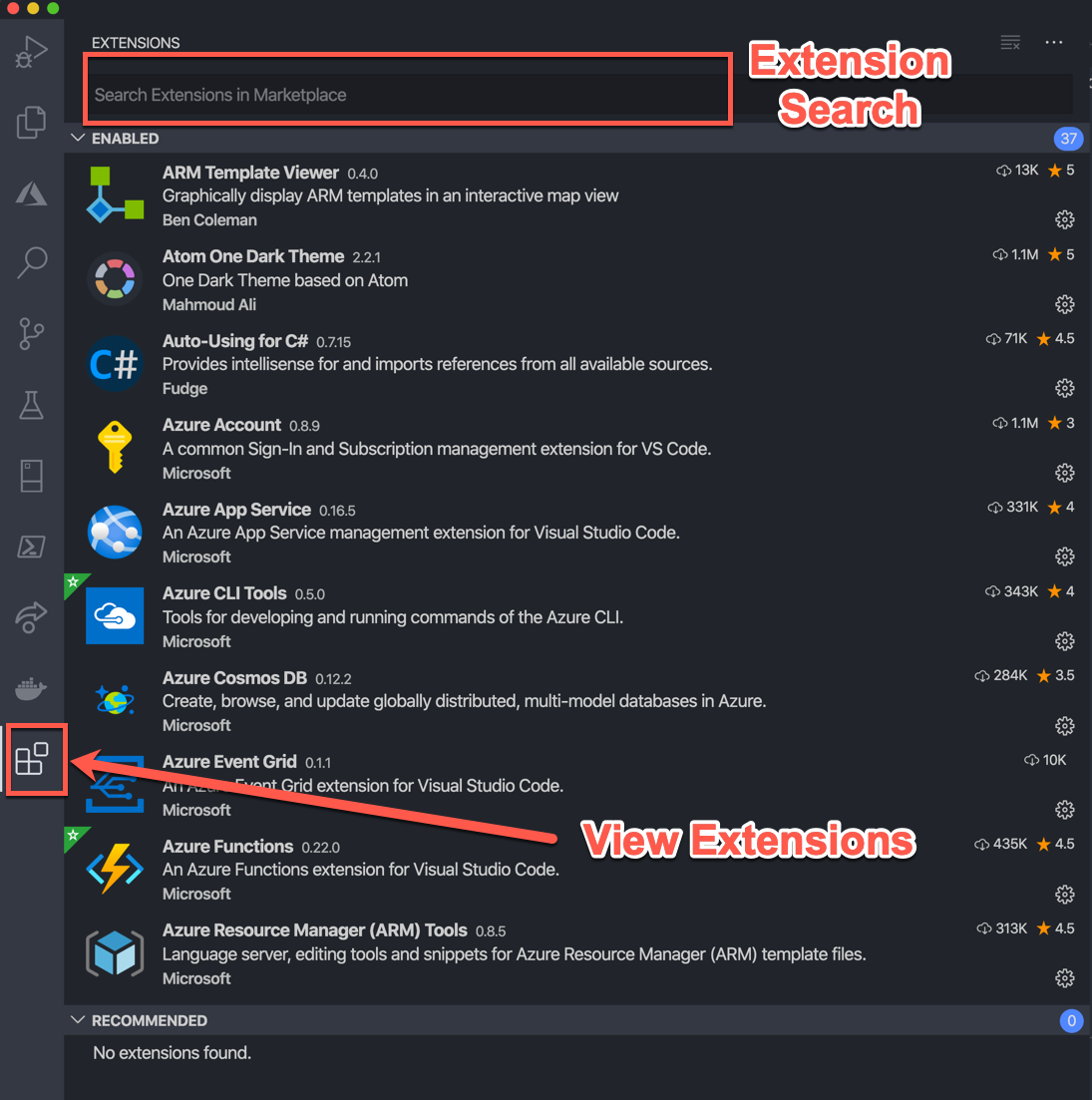
Extensions can be installed directly from Visual Studio Code via the Extensions Tab.
Recommended Online Resources
Although this workshop covers many of the basics of Azure in the context of AppDynamics there are many resources to get additional knowledge. Microsoft Learn is a highly recommended source. Specific learning paths and modules are recommended prior to each lab. The following are recommended modules that should be considered for review prior to the workshop: